SwiftUI TextField Focus, onSubmit, and onChange
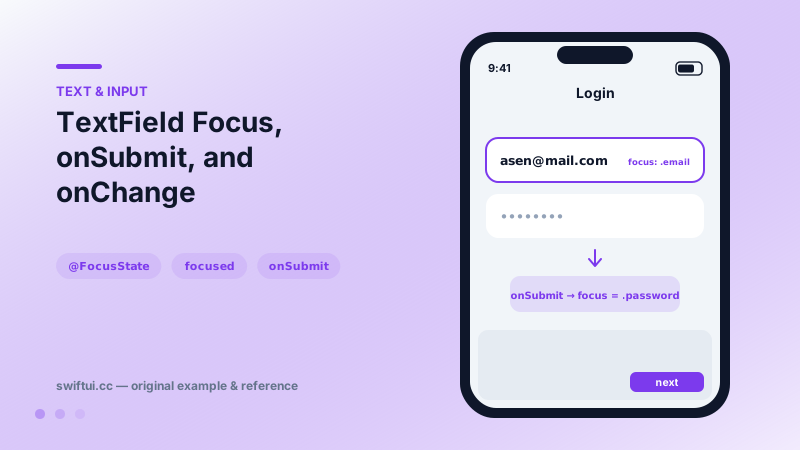
@FocusState moves the cursor programmatically, onSubmit chains fields through return, and onChange validates as users type — the wiring of real forms.
import SwiftUI

struct LoginForm: View {
    enum Field { case email, password }
    @FocusState private var focus: Field?
    @State private var email = ""
    @State private var password = ""

    var body: some View {
        Form {
            TextField("Email", text: $email)
                .focused($focus, equals: .email)
                .submitLabel(.next)

            SecureField("Password", text: $password)
                .focused($focus, equals: .password)
                .submitLabel(.go)
        }
        .onSubmit {
            switch focus {
            case .email: focus = .password
            case .password: focus = nil  // dismiss & sign in
            default: break
            }
        }
        .onChange(of: email) { _, newValue in
            email = newValue.lowercased()
        }
        .onAppear { focus = .email }
    }
}
Focus as state
@FocusState makes the keyboard's location a value you read and write:
@FocusState private var focus: Field?
TextField(…).focused($focus, equals: .email)
Set focus = .password and the cursor moves; set nil and the keyboard drops. Auto-focusing the first field onAppear (after a brief delay on some presentations) removes one tap from every form visit. A Bool-flavored @FocusState exists for single fields.
Return-key choreography
onSubmit fires when the user hits return in any field inside it. Combined with submitLabel, forms gain the native flow users expect: Next advances, Go submits. Submit handlers attach per-field or once on the container — the container form with a switch keeps the flow in one readable place.
Live reaction with onChange
onChange(of: text) { old, new in … } is where typing becomes behavior: lowercase emails, strip spaces from codes, cap lengths, set validation flags. For expensive consequences (search requests), pair with .task(id: text) for free cancellation-based debouncing.
Growing fields
TextField("Notes", text: $notes, axis: .vertical) with lineLimit(3...6) wraps and grows — the modern alternative to TextEditor for short multi-line input inside forms.
Common mistakes
- Forgetting submitLabel, leaving 'return' on a field that actually submits.
- Heavy synchronous work in onChange on every keystroke.
- Focus mutations during view updates; defer to user actions or task blocks.
Related reference
TextField binds editable text with a placeholder label, keyboardType for input-appropriate keys, textContentType for autofill, and capitalization and autocorrection control.
SecureField masks input for secrets, pairs with textContentType for password managers and strong-password suggestions, and composes with TextField for reveal toggles.
searchable adds the platform search field, you own the filtering. Add searchSuggestions with searchCompletion, surface no-results states, and dismiss with the environment action.