SwiftUI searchable: Filtering, Suggestions, and Dismissal
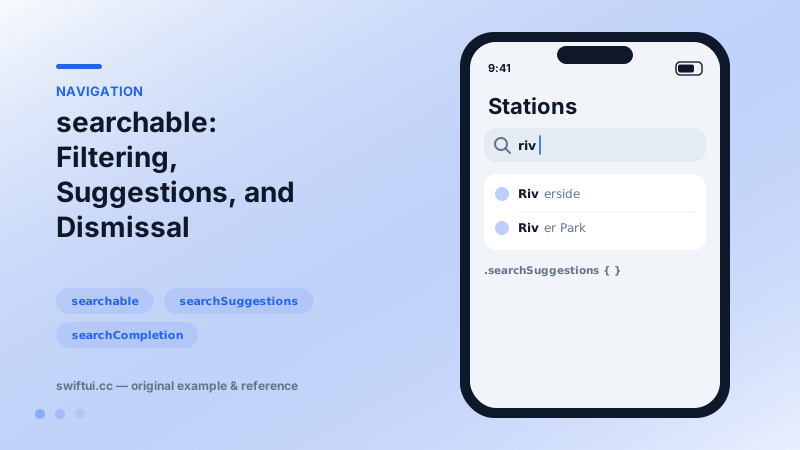
searchable adds the platform search field, you own the filtering. Add searchSuggestions with searchCompletion, surface no-results states, and dismiss with the environment action.
import SwiftUI

struct StationSearch: View {
    @State private var query = ""
    let stations = ["Central", "Riverside", "Museum", "Airport", "Harbor"]

    var filtered: [String] {
        query.isEmpty ? stations
                      : stations.filter { $0.localizedCaseInsensitiveContains(query) }
    }

    var body: some View {
        NavigationStack {
            Group {
                if filtered.isEmpty {
                    ContentUnavailableView.search(text: query)
                } else {
                    List(filtered, id: \.self, rowContent: Text.init)
                }
            }
            .navigationTitle("Stations")
            .searchable(text: $query, prompt: "Find a station")
            .searchSuggestions {
                ForEach(stations.prefix(3), id: \.self) { s in
                    Label(s, systemImage: "clock").searchCompletion(s)
                }
            }
        }
    }
}
The division of labor
.searchable(text: $query) installs the search field in the navigation bar and manages its lifecycle — focus, cancel button, scroll-away behavior (tunable with placement:, e.g. .navigationBarDrawer(displayMode: .always)). Everything about what matches is yours:
var filtered: [Station] {
    query.isEmpty ? all : all.filter { $0.name.localizedCaseInsensitiveContains(query) }
}
Debounce with .task(id: query) when filtering hits a network or database.
Suggestions
searchSuggestions { } overlays rows while the user types; .searchCompletion(text) turns a tap into field text, after which your normal filtering reacts. Recents, popular queries, and entity shortcuts all fit this slot.
Reading search state from inside
@Environment(\.isSearching) and @Environment(\.dismissSearch) work in views within the searchable container — a common stumbling block. Put the result list in a child view and that child can end the session when a row is chosen.
Empty results
Pair with ContentUnavailableView.search(text:) so zero matches reads as a system-standard state rather than a blank screen.
Common mistakes
- Reading isSearching in the same view that declares searchable (always false).
- Forgetting the empty state, leaving users staring at nothing.
- Re-sorting or re-fetching on every keystroke without debouncing.
Related reference
ContentUnavailableView standardizes empty, error, and no-results screens with an icon, title, description, and action buttons — including the built-in search variant.
List renders platform-native rows from data. ForEach adds onDelete and onMove editing, and a selection binding turns rows tappable with single or multi-select.
NavigationStack hosts push navigation. Configure titles and display modes, place bar items with toolbar, and control bar background and visibility with toolbarBackground.