SwiftUI SecureField Password Input
SecureField masks input for secrets, pairs with textContentType for password managers and strong-password suggestions, and composes with TextField for reveal toggles.
import SwiftUI

struct PasswordField: View {
    @State private var password = ""
    @State private var isRevealed = false
    @FocusState private var focused: Bool

    var body: some View {
        HStack {
            Group {
                if isRevealed {
                    TextField("Password", text: $password)
                } else {
                    SecureField("Password", text: $password)
                }
            }
            .textContentType(.password)
            .focused($focused)

            Button {
                isRevealed.toggle()
                focused = true
            } label: {
                Image(systemName: isRevealed ? "eye.slash" : "eye")
            }
            .buttonStyle(.plain)
        }
        .padding(12)
        .background(.quaternary.opacity(0.5), in: .rect(cornerRadius: 10))
        .padding()
    }
}
Masking plus ecosystem
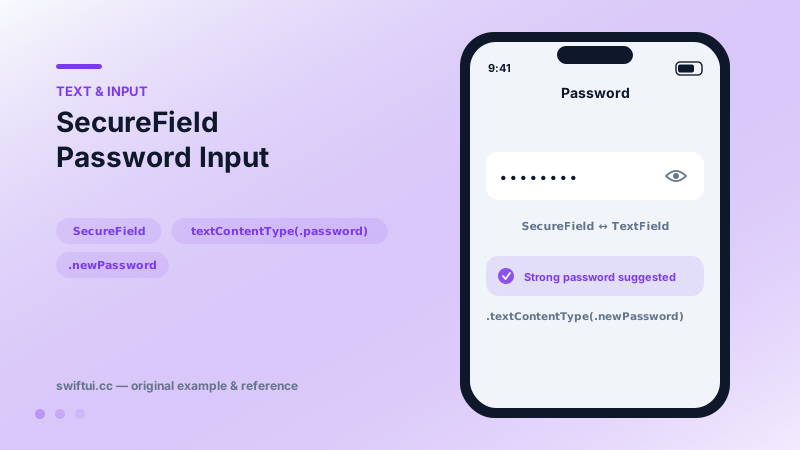
Visually, SecureField shows dots. The real value is what the content type unlocks: .password surfaces saved credentials above the keyboard for one-tap sign-in; .newPassword (with an associated-domains setup) brings strong-password generation and saving. A custom-built masked field gets none of that.
The reveal toggle
Users mistype masked input, so reveal buttons are kindness. The standard implementation conditionally renders SecureField or TextField over the same @State string. Two details make it feel native: keep textContentType on both branches, and re-assert focus after toggling, since the view swap can drop the keyboard.
Beyond the field
privacySensitive() marks the content for redaction when the system snapshots your UI (app switcher), extending protection past the keyboard. Pair sign-up fields with inline strength feedback driven by onChange rather than post-submit errors.
Common mistakes
- Building sign-up without .newPassword and losing generated-password UX.
- Breaking the binding or focus during reveal toggles.
- Disabling paste 'for security', which mostly punishes password-manager users.
Related reference
TextField binds editable text with a placeholder label, keyboardType for input-appropriate keys, textContentType for autofill, and capitalization and autocorrection control.
@FocusState moves the cursor programmatically, onSubmit chains fields through return, and onChange validates as users type — the wiring of real forms.
Form renders settings-style screens with platform-correct rows. Structure with Sections, headers and footers, headerProminence, and per-row background and inset control.