SwiftUI Text Line Limits, Scaling, and Truncation
Control how text behaves under pressure: lineLimit and reserved space, minimumScaleFactor shrinking, truncationMode, tightening, and line spacing.
import SwiftUI

struct ArticleCard: View {
    let title: String

    var body: some View {
        VStack(alignment: .leading, spacing: 6) {
            Text(title)
                .font(.headline)
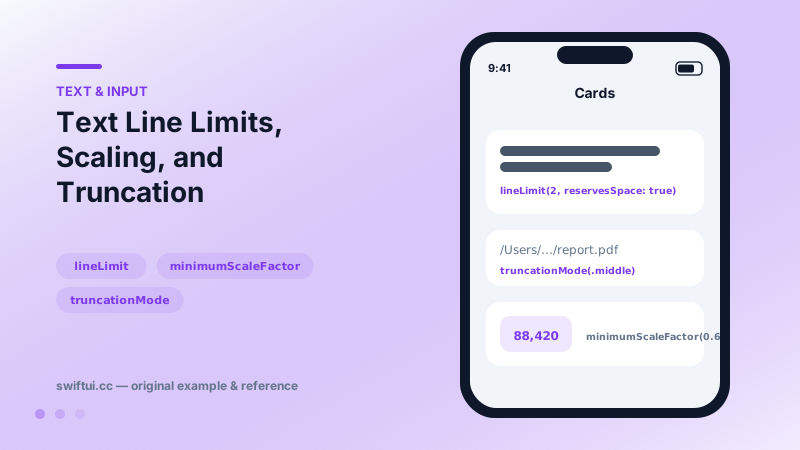
                .lineLimit(2, reservesSpace: true)

            Text("/Users/asen/Documents/very-long-report-name.pdf")
                .font(.caption)
                .lineLimit(1)
                .truncationMode(.middle)
                .foregroundStyle(.secondary)

            Text("88,420")
                .font(.title3.bold())
                .lineLimit(1)
                .minimumScaleFactor(0.6)
                .frame(width: 72)
        }
        .padding()
    }
}
The pressure pipeline
When text exceeds its space, SwiftUI applies your policies in a sensible order: tightening (if allowed) → scaling (down to your floor) → truncation (at your chosen edge) — within whatever lines you permitted. Each policy is one modifier:
Text(name)
    .lineLimit(1)
    .allowsTightening(true)
    .minimumScaleFactor(0.8)
    .truncationMode(.tail)
lineLimit variants
Beyond a single cap: lineLimit(2...4) sets a range (at least 2 lines of height, at most 4), and reservesSpace: true claims the full capped height even when content is shorter — the cure for misaligned card grids and jumping layouts during live data updates.
Where to truncate
.tail (default) for prose, .head when the ending matters ("…important.pdf"), .middle when both ends do (paths, wallet addresses). Truncation is presentation only — accessibility still reads the full string.
Paragraph controls
lineSpacing adds leading between wrapped lines; multilineTextAlignment aligns wrapped text within its own bounds — distinct from frame alignment, which positions the text block itself.
Common mistakes
- minimumScaleFactor(0.1) producing unreadable micro-text instead of fixing layout.
- Confusing multilineTextAlignment with frame(alignment:).
- Reserving no space, then watching cards reflow as async content lands.
Related reference
Style Text with dynamic type styles, fontWeight, fontDesign, and fontWidth; load custom fonts with relative scaling so typography still respects accessibility.
ViewThatFits tries each child in order and renders the first one that fits the proposed space — declarative responsive layout without measuring anything yourself.
HStack lays out children left to right with a shared vertical alignment. layoutPriority decides which child shrinks first when space runs out.