SwiftUI ViewThatFits Adaptive Layout
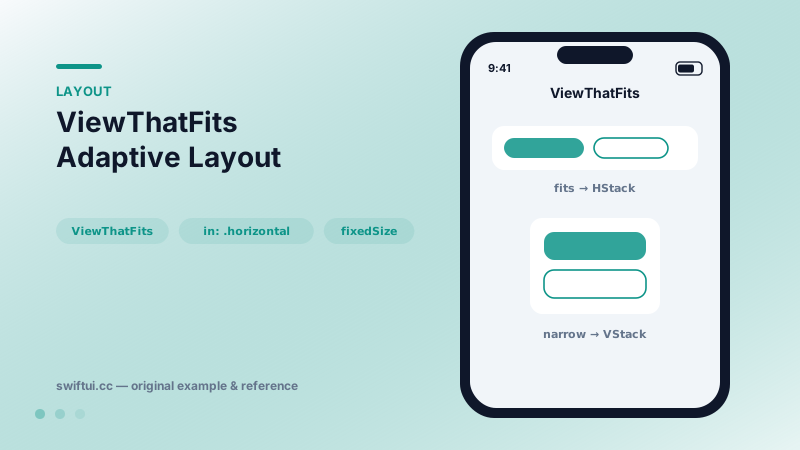
ViewThatFits tries each child in order and renders the first one that fits the proposed space — declarative responsive layout without measuring anything yourself.
import SwiftUI

struct AdaptiveActions: View {
    var body: some View {
        ViewThatFits(in: .horizontal) {
            HStack(spacing: 12) { actionButtons }
            VStack(spacing: 12) { actionButtons }
        }
        .padding()
    }

    @ViewBuilder private var actionButtons: some View {
        Button("Accept Invitation") {}
            .buttonStyle(.borderedProminent)
        Button("Maybe Later") {}
            .buttonStyle(.bordered)
    }
}
First fit wins
ViewThatFits measures each child at its ideal size against the space proposed by the parent and renders the first child whose ideal size fits. There is no breakpoint number in your code — the content itself defines when to switch, which automatically respects font sizes, localization length, and device width.
Constraining the axis
By default both axes must fit. Most real cases only care about one:
ViewThatFits(in: .horizontal) {
    fullWidthRow
    compactColumn
}
Without in:, a candidate that is slightly too tall gets skipped even when width was your only concern.
The wrapping-text trap
Text happily wraps, so its ideal width can collapse and every candidate "fits." Apply .fixedSize(horizontal: true, vertical: false) to text inside candidates when you want truncation pressure to drive the decision.
Typical pairings
Pair a horizontal stack with a vertical one, a labeled button row with an icon-only row, or a full sentence with an abbreviation. Keep the meaning identical across candidates — the user should never notice information disappearing, only the arrangement changing.
Common mistakes
- Ordering compact-first, which makes the rich layout unreachable.
- Using wildly different content per candidate, turning layout into a logic branch.
- Forgetting that all candidates are built and measured — keep them lightweight.
Related reference
HStack lays out children left to right with a shared vertical alignment. layoutPriority decides which child shrinks first when space runs out.
containerRelativeFrame sizes a view as a fraction of its nearest container — full width, one-of-three columns, or custom math — without GeometryReader.
Control how text behaves under pressure: lineLimit and reserved space, minimumScaleFactor shrinking, truncationMode, tightening, and line spacing.