SwiftUI TabView: Tabs, Badges, and the Bottom Accessory
Define tabs with the Tab builder, switch programmatically through a selection binding, badge tab items, and adopt tabViewBottomAccessory plus tabBarMinimizeBehavior.
import SwiftUI

struct MainTabs: View {
    @State private var selected = "home"

    var body: some View {
        TabView(selection: $selected) {
            Tab("Home", systemImage: "house", value: "home") {
                Text("Home feed")
            }
            Tab("Inbox", systemImage: "tray", value: "inbox") {
                Text("Messages")
            }
            .badge(4)
            Tab("Profile", systemImage: "person", value: "profile") {
                Text("Profile")
            }
        }
        .tabViewBottomAccessory {
            HStack {
                Image(systemName: "play.fill")
                Text("Now Playing — Lo-fi Mix")
                    .font(.callout)
            }
            .padding(.horizontal)
        }
        .tabBarMinimizeBehavior(.onScrollDown)
    }
}
The Tab builder
Modern tab declaration is explicit: each Tab owns a title, icon, optional value, and content. Compared to the old tabItem modifier, roles like Tab(role: .search) and values for selection come built in.
TabView(selection: $selected) {
    Tab("Home", systemImage: "house", value: Screen.home) { HomeView() }
    Tab("Search", systemImage: "magnifyingglass", value: Screen.search, role: .search) { SearchView() }
}
Programmatic switching
Because selection is a plain binding, a button on Home can jump to Inbox by assigning state. Notifications, deep links, and onboarding tours all reuse the same mechanism.
Bottom accessory and minimize behavior
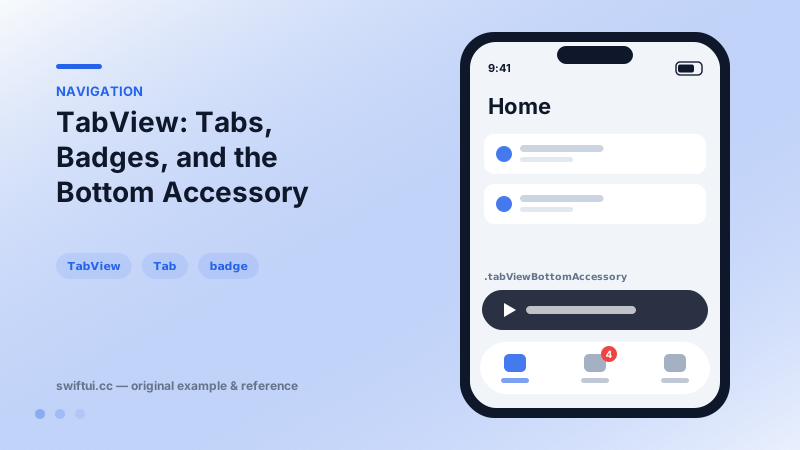
tabViewBottomAccessory { MiniPlayer() } reserves a persistent strip above the bar — the music-app pattern without custom overlay math. With tabBarMinimizeBehavior(.onScrollDown), the bar slims away as users scroll content, returning on scroll up; the accessory stays reachable throughout.
Independent stacks per tab
Each tab should contain its own NavigationStack so switching tabs preserves each one's history. A single shared stack across tabs resets navigation in confusing ways.
Common mistakes
- Using tag-less tabs and index selection, which breaks when tabs reorder.
- Hiding global state in one tab that another tab silently depends on.
- Re-rendering heavy tab content on every switch instead of letting each tab keep state.
Related reference
tabViewStyle(.page) turns TabView into a swipeable pager — onboarding carousels and image galleries — with index dots controlled by indexViewStyle and display mode.
NavigationStack hosts push navigation. Configure titles and display modes, place bar items with toolbar, and control bar background and visibility with toolbarBackground.
swipeActions adds leading and trailing buttons with full-swipe control, refreshable wires async pull-to-refresh, and badge annotates rows with counts.