SwiftUI List Swipe Actions, Pull to Refresh, and Badges
swipeActions adds leading and trailing buttons with full-swipe control, refreshable wires async pull-to-refresh, and badge annotates rows with counts.
import SwiftUI

struct Inbox: View {
    @State private var threads = ["Standup notes", "Invoice #88", "Weekend plan"]

    var body: some View {
        List {
            ForEach(threads, id: \.self) { thread in
                Text(thread)
                    .badge(3)
                    .swipeActions(edge: .leading, allowsFullSwipe: true) {
                        Button { } label: {
                            Label("Pin", systemImage: "pin")
                        }.tint(.orange)
                    }
                    .swipeActions(edge: .trailing) {
                        Button(role: .destructive) {
                            threads.removeAll { $0 == thread }
                        } label: {
                            Label("Delete", systemImage: "trash")
                        }
                        Button { } label: {
                            Label("Archive", systemImage: "archivebox")
                        }.tint(.indigo)
                    }
            }
        }
        .refreshable {
            try? await Task.sleep(for: .seconds(1))
        }
    }
}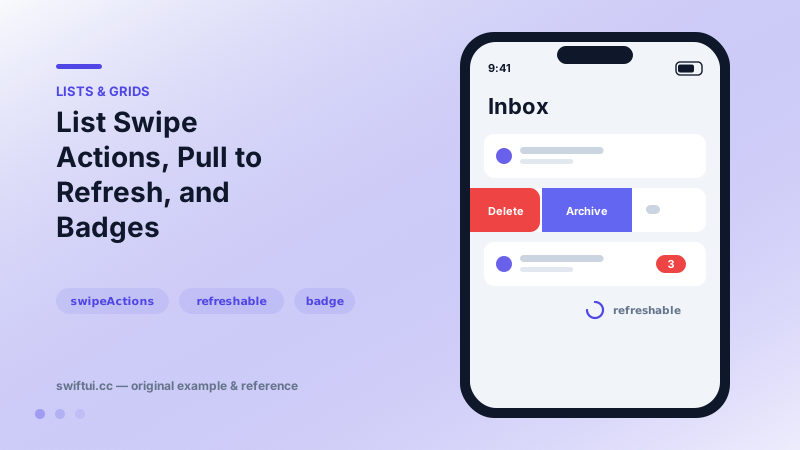
Swipe actions, both edges
Each swipeActions(edge:) call owns one side of the row. Buttons appear in declaration order from the edge inward, and tint colors each one. Declaring any custom trailing actions removes the free system delete — deliberate, so destructive behavior is always explicit in your code.
.swipeActions(edge: .trailing, allowsFullSwipe: false) {
    Button(role: .destructive) { delete() } label: {
        Label("Delete", systemImage: "trash")
    }
}
allowsFullSwipe defaults to true for the first action; turn it off when a misfire would hurt.
Pull to refresh
refreshable { await reload() } adds the standard pull gesture. Because the closure is async, structured concurrency handles the spinner lifecycle — no completion handlers. The environment also exposes the action as \.refresh, letting custom controls trigger the same reload.
Badges
.badge(5) renders a trailing count; .badge(Text("NEW").foregroundStyle(.red)) customizes it; badgeProminence(.decreased) mutes it. Badge values of zero hide automatically with the integer variant.
Common mistakes
- Full-swipe on destructive actions without undo.
- Returning from refreshable before data actually updated, freezing a stale list under a finished spinner.
- Hiding the only path to an action behind a swipe.
Related reference
List renders platform-native rows from data. ForEach adds onDelete and onMove editing, and a selection binding turns rows tappable with single or multi-select.
Restyle List without leaving it: listRowBackground, listRowInsets, separator visibility and tint, listRowSpacing, listSectionSpacing, and scrollContentBackground.
Menu collects actions behind one button with full support for sections, nested submenus, destructive roles, primaryAction, and menuOrder control.