SwiftUI Menu: Sections, Submenus, and Order
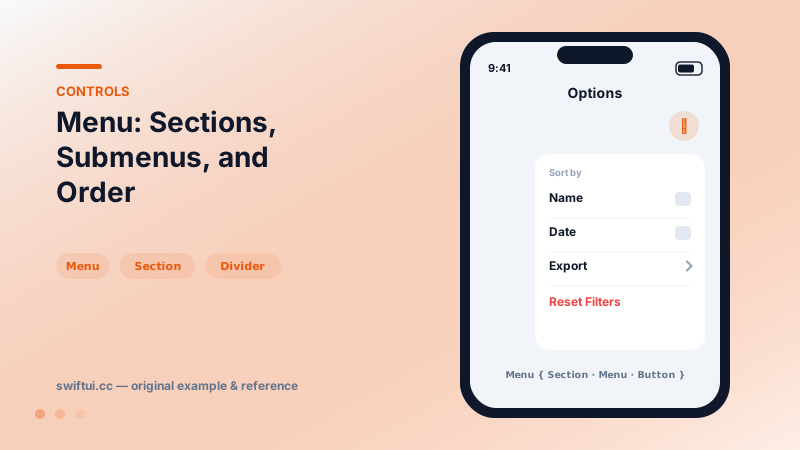
Menu collects actions behind one button with full support for sections, nested submenus, destructive roles, primaryAction, and menuOrder control.
import SwiftUI

struct SortMenu: View {
    var body: some View {
        Menu {
            Section("Sort by") {
                Button("Name", systemImage: "textformat") { }
                Button("Date", systemImage: "calendar") { }
            }
            Menu("Export") {
                Button("PDF") { }
                Button("CSV") { }
            }
            Divider()
            Button("Reset Filters", role: .destructive) { }
        } label: {
            Label("Options", systemImage: "ellipsis.circle")
        }
    }
}
Buttons, structured
Menu content is declared like any view hierarchy — Buttons, Sections, Dividers, nested Menus, even Toggles and Pickers, which render as checkable rows. The system draws the platform-correct popup, handles dismissal, and adapts to pointer or touch.
Primary action plus overflow
Menu("Reply") {
    Button("Reply All") { }
    Button("Forward") { }
} primaryAction: {
    reply()
}
Tap runs reply(); long-press reveals alternatives. This pattern keeps the 90% action one tap away without losing the rest.
Ordering
iOS may flip menu item order depending on where the menu opens, optimizing reach. When order encodes meaning (steps, severity), pin it with .menuOrder(.fixed).
Inside lists and toolbars
Menus embed cleanly in toolbar items, swipe-action rows, and contextMenu. The same content closure works across all hosts, so extract it into a @ViewBuilder property when several entry points share actions.
Common mistakes
- Hiding the only path to a critical action inside a menu.
- Nesting submenus two levels deep — flatten into sections.
- Stateful Toggles in menus that users expect to stay open; menus dismiss on every tap.
Related reference
Button pairs an action with any label. Roles mark destructive and cancel semantics, built-in styles cover most designs, and buttonRepeatBehavior auto-repeats while held.
ControlGroup visually unifies related controls — undo/redo, zoom in/out — adapting per context, with compactMenu and palette styles condensing groups in menus and toolbars.
swipeActions adds leading and trailing buttons with full-swipe control, refreshable wires async pull-to-refresh, and badge annotates rows with counts.