SwiftUI ControlGroup Styles in Toolbars
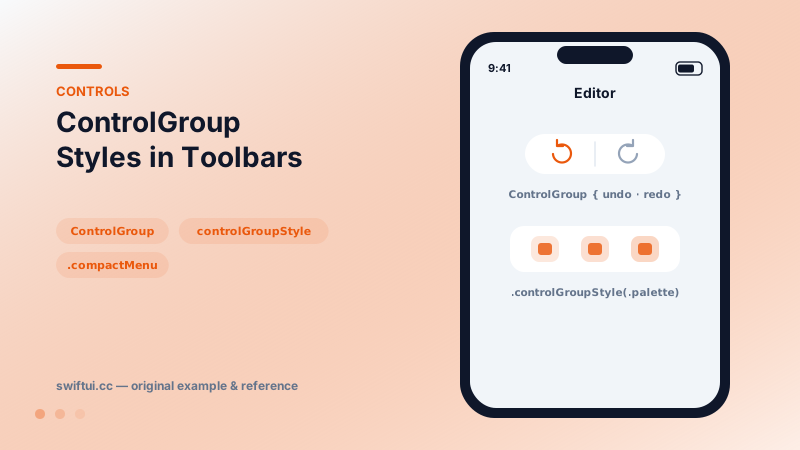
ControlGroup visually unifies related controls — undo/redo, zoom in/out — adapting per context, with compactMenu and palette styles condensing groups in menus and toolbars.
import SwiftUI

struct EditorBar: View {
    var body: some View {
        NavigationStack {
            Text("Canvas")
                .toolbar {
                    ToolbarItem(placement: .topBarTrailing) {
                        ControlGroup {
                            Button("Undo", systemImage: "arrow.uturn.backward") { }
                            Button("Redo", systemImage: "arrow.uturn.forward") { }
                        }
                    }
                    ToolbarItem(placement: .topBarTrailing) {
                        Menu("Edit") {
                            ControlGroup {
                                Button("Cut", systemImage: "scissors") { }
                                Button("Copy", systemImage: "doc.on.doc") { }
                                Button("Paste", systemImage: "doc.on.clipboard") { }
                            }
                            .controlGroupStyle(.palette)
                        }
                    }
                }
        }
    }
}
Semantic grouping
ControlGroup { undoButton; redoButton } tells the system these controls form one logical unit. The framework then renders the platform-correct cluster: a joined bordered capsule in an iOS toolbar, a segmented-looking cluster on Mac, a horizontal strip inside a menu. You declare the relationship; rendering is contextual.
Styles
ControlGroup { … }.controlGroupStyle(.palette)      // icon strip (menus)
ControlGroup { … }.controlGroupStyle(.compactMenu)  // collapses to one element
.palette is the cut/copy/paste row at the top of edit menus. .compactMenu shrinks a labeled group into a single button that pops its members — useful when toolbar real estate is scarce but the actions deserve grouping.
In context menus and toolbars
ControlGroup composes inside Menu, contextMenu, and toolbar items alike. The grouping survives overflow: when a toolbar collapses items into the system overflow menu, grouped controls stay together — a robustness win over visually faking groups with spacing.
Common mistakes
- Grouping by appearance ("these are all icons") instead of function.
- Forgetting the group label, so compactMenu collapses into an unnamed mystery button.
- Re-implementing the cluster look with HStack + background and losing adaptive behavior.
Related reference
Menu collects actions behind one button with full support for sections, nested submenus, destructive roles, primaryAction, and menuOrder control.
NavigationStack hosts push navigation. Configure titles and display modes, place bar items with toolbar, and control bar background and visibility with toolbarBackground.
Button pairs an action with any label. Roles mark destructive and cancel semantics, built-in styles cover most designs, and buttonRepeatBehavior auto-repeats while held.