SwiftUI List Row Styling: Backgrounds, Insets, and Separators
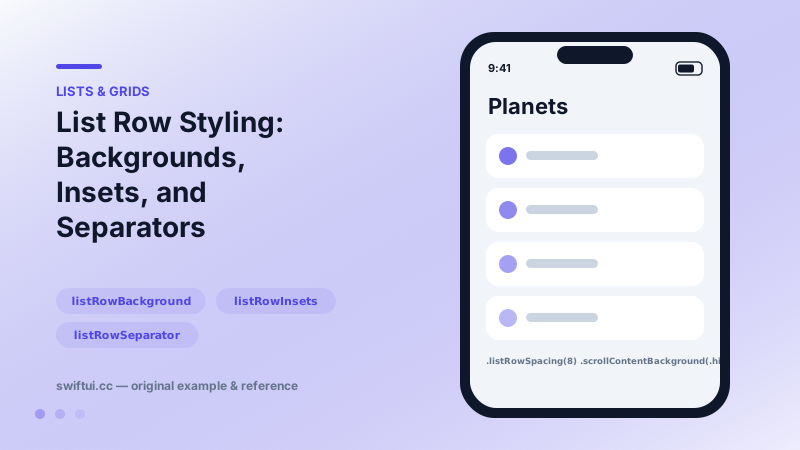
Restyle List without leaving it: listRowBackground, listRowInsets, separator visibility and tint, listRowSpacing, listSectionSpacing, and scrollContentBackground.
import SwiftUI

struct CardList: View {
    var body: some View {
        List {
            ForEach(["Mercury", "Venus", "Earth"], id: \.self) { planet in
                Text(planet)
                    .padding(.vertical, 8)
                    .listRowBackground(
                        RoundedRectangle(cornerRadius: 12)
                            .fill(.background)
                            .padding(.vertical, 4)
                    )
                    .listRowSeparator(.hidden)
            }
        }
        .listRowSpacing(8)
        .scrollContentBackground(.hidden)
        .background(.teal.opacity(0.12))
    }
}
The styling toolbox
List styling splits into three layers. The container: listStyle picks plain, grouped, insetGrouped, or sidebar, and scrollContentBackground(.hidden) removes the system canvas so your background shows. The row: listRowBackground, listRowInsets, listRowSpacing. The lines: listRowSeparator, listSectionSeparator, and their Tint variants.
Custom row backgrounds
Text(planet)
    .listRowBackground(
        RoundedRectangle(cornerRadius: 12).fill(.thinMaterial)
    )
Pair with listRowSeparator(.hidden) and listRowSpacing for the floating-card look that pure ScrollView solutions rebuild by hand — while keeping swipe actions and selection.
Insets and full-bleed rows
listRowInsets(EdgeInsets()) zeroes the default padding so images can run edge to edge. Apply real padding inside the row to keep text readable.
Separator control
Per-row and per-edge control means you can hide just the line above the first row (edges: .top) or color a divider as a status cue. Section-level lines respond to listSectionSeparator.
Common mistakes
- Setting .background on the List without hiding scrollContentBackground — nothing appears to change.
- Expecting listRowBackground on a Section to animate per-row; it applies to all rows in that section.
- Over-styling until the list stops looking interactive; keep affordances visible.
Related reference
List renders platform-native rows from data. ForEach adds onDelete and onMove editing, and a selection binding turns rows tappable with single or multi-select.
swipeActions adds leading and trailing buttons with full-swipe control, refreshable wires async pull-to-refresh, and badge annotates rows with counts.
Form renders settings-style screens with platform-correct rows. Structure with Sections, headers and footers, headerProminence, and per-row background and inset control.