SwiftUI Stepper Range and Custom Labels
Stepper increments a value in precise steps with plus/minus buttons. Clamp with a range, format the label live, or supply custom onIncrement/onDecrement logic.
import SwiftUI

struct TicketPicker: View {
    @State private var tickets = 2

    var body: some View {
        Form {
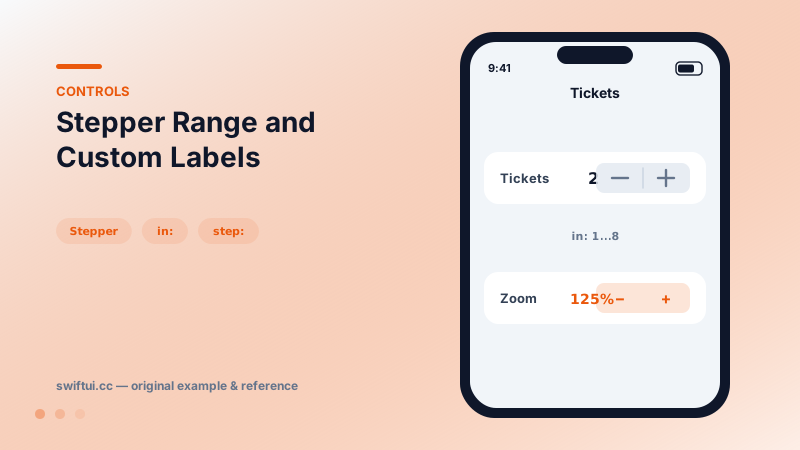
            Stepper(value: $tickets, in: 1...8) {
                LabeledContent("Tickets", value: "\(tickets)")
            }
            Stepper("Font size", onIncrement: { /* +1 */ },
                    onDecrement: { /* -1 */ })
        }
    }
}
Precise, bounded, deliberate
Where a slider says "about this much," a stepper says "exactly seven." Stepper(value: $count, in: 1...8, step: 1) clamps automatically and grays out the minus button at 1 and the plus at 8 — boundary handling for free.
Show the number
The stepper renders only the buttons and your label, so the label must carry the value. LabeledContent("Tickets", value: "\(tickets)") inside the label slot is the cleanest form-row presentation, keeping the number aligned with other rows' values.
Closure-driven steps
Stepper("Zoom") {
    zoom = min(zoom * 1.25, 8)     // onIncrement
} onDecrement: {
    zoom = max(zoom / 1.25, 0.25)
}
The closure form supports non-linear steps (multiplicative zoom), cross-field validation, or analytics per tap. Pass nil for a direction to disable it dynamically.
Hold to repeat
Steppers auto-repeat while held, accelerating over time — which is why bounds matter even for "obviously small" values.
Common mistakes
- Hiding the value somewhere far from the control.
- Using steppers for ranges that need dozens of taps to traverse.
- Side effects in body instead of the step closures, firing on unrelated renders.
Related reference
Slider binds a continuous value to a track. Set bounds and step, add min/max images, react to editing phases with onEditingChanged, and tint the filled track.
Picker binds a selection to tagged options. Drive it from a CaseIterable enum, choose menu, wheel, inline, or navigationLink styles, and group options with sections.
Form renders settings-style screens with platform-correct rows. Structure with Sections, headers and footers, headerProminence, and per-row background and inset control.