import SwiftUI

struct BrightnessControl: View {
    @State private var level = 0.6
    @State private var isDragging = false

    var body: some View {
        VStack(spacing: 8) {
            Slider(value: $level, in: 0...1) {
                Text("Brightness")
            } minimumValueLabel: {
                Image(systemName: "sun.min")
            } maximumValueLabel: {
                Image(systemName: "sun.max")
            } onEditingChanged: { editing in
                isDragging = editing
            }
            .tint(.orange)

            Text(level, format: .percent.precision(.fractionLength(0)))
                .font(.caption.monospacedDigit())
                .foregroundStyle(isDragging ? .primary : .secondary)
        }
        .padding()
    }
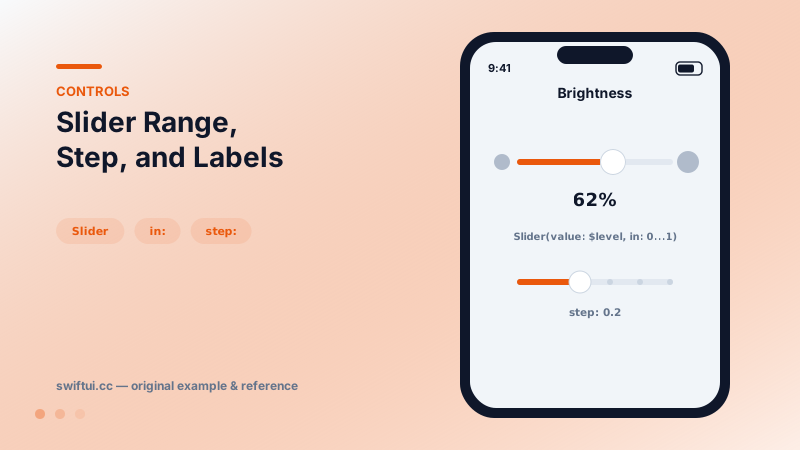
}
Continuous by default, stepped on request
Slider(value: $level, in: 0...1) maps the track to your bounds. Adding step: 0.1 snaps the committed value while the thumb still drags smoothly — best of both for values like font size or playback speed.
The three-label form
The full initializer takes a hidden accessibility label plus visible minimumValueLabel/maximumValueLabel views — conventionally small/large icons of the same symbol:
Slider(value: $volume) { Text("Volume") }
    minimumValueLabel: { Image(systemName: "speaker") }
    maximumValueLabel: { Image(systemName: "speaker.wave.3") }
Editing phases
Updating a live preview every tick is fine for cheap work; for expensive consequences (re-rendering a filtered photo, hitting an API) use onEditingChanged to act once when the finger lifts. The pattern: bind the cheap preview to the value, gate the costly commit behind editing == false.
Common mistakes
- No numeric readout for ranges where the exact value matters.
- Steps finer than finger precision, making targets unreachable.
- Saving to disk on every value change instead of at editing end.
Related reference
Stepper increments a value in precise steps with plus/minus buttons. Clamp with a range, format the label live, or supply custom onIncrement/onDecrement logic.
Gauge shows a value within bounds — linear bars or circular dials — with current/min/max labels and accessoryCircular styles sized for compact dashboards.
ProgressView spins while waiting and fills while completing. Set value and total for determinate progress, label the current state, and tint or restyle as needed.