SwiftUI Segmented Picker Control
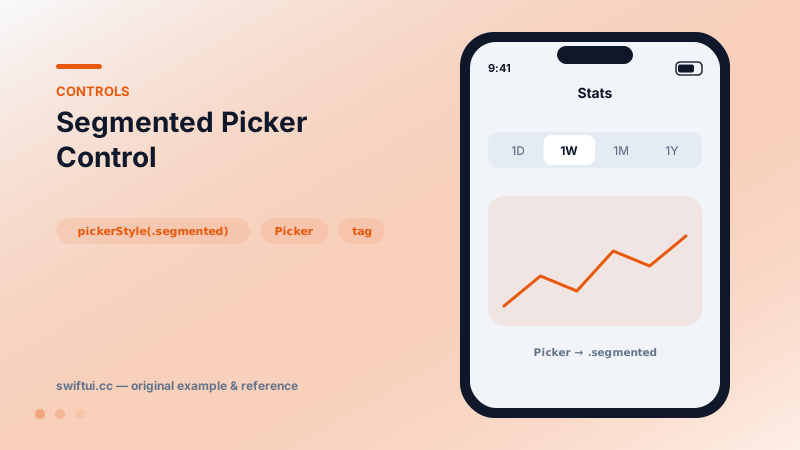
pickerStyle(.segmented) shows every option side by side — the right widget for 2–4 visible, equal choices like view modes and filters.
import SwiftUI

struct RangeSwitcher: View {
    @State private var range = "1W"

    var body: some View {
        VStack(spacing: 16) {
            Picker("Range", selection: $range) {
                ForEach(["1D", "1W", "1M", "1Y"], id: \.self) { r in
                    Text(r).tag(r)
                }
            }
            .pickerStyle(.segmented)

            RoundedRectangle(cornerRadius: 16)
                .fill(.teal.opacity(0.2))
                .frame(height: 160)
                .overlay(Text("Chart for \(range)"))
        }
        .padding()
    }
}
A picker in uniform
Segmented style is just Picker + .pickerStyle(.segmented) — same tags, same binding, different presentation. Its strength is zero-discovery cost: every option is visible, switching is one tap, and the selected state is always on screen.
What it is for
Segments work best when the options re-present the same content: time ranges on a chart, list vs grid, Fahrenheit vs Celsius. Users flip between them frequently, so visibility beats the compactness of a menu. Conversely, settings chosen once belong in a menu picker, and parallel content areas belong in a TabView.
Styling reality
SwiftUI exposes little segmented theming. On iOS the escape hatch is UIKit appearance:
UISegmentedControl.appearance()
    .selectedSegmentTintColor = .systemTeal
Appearance is process-global — set it at app start, not per screen. If the design demands more, a custom control from buttons in an HStack with a sliding capsule (matchedGeometryEffect) is the honest path.
Empty selection
A binding that starts as an unmatched value renders with no segment selected — occasionally useful for "choose one to begin" flows, though usually a default selection is kinder.
Common mistakes
- Cramming five+ segments until labels truncate.
- Using segments as buttons that fire actions.
- Global appearance hacks applied mid-flow, restyling unrelated screens.
Related reference
Picker binds a selection to tagged options. Drive it from a CaseIterable enum, choose menu, wheel, inline, or navigationLink styles, and group options with sections.
Define tabs with the Tab builder, switch programmatically through a selection binding, badge tab items, and adopt tabViewBottomAccessory plus tabBarMinimizeBehavior.
Toggle binds a Bool to a switch. Recolor with tint, render as a button with .button style, batch with sections, or design your own look via ToggleStyle.