SwiftUI NavigationLink and navigationDestination
Value-based NavigationLink separates what was tapped from where it goes: links carry values, and navigationDestination(for:) maps each value type to a screen.
import SwiftUI

struct Catalog: View {
    var body: some View {
        NavigationStack {
            List {
                NavigationLink("Espresso Beans", value: Product(name: "Espresso Beans"))
                NavigationLink("Acme Roasters", value: Vendor(name: "Acme Roasters"))
            }
            .navigationDestination(for: Product.self) { product in
                Text("Product: \(product.name)")
            }
            .navigationDestination(for: Vendor.self) { vendor in
                Text("Vendor: \(vendor.name)")
            }
            .navigationTitle("Catalog")
        }
    }
}

struct Product: Hashable { let name: String }
struct Vendor: Hashable { let name: String }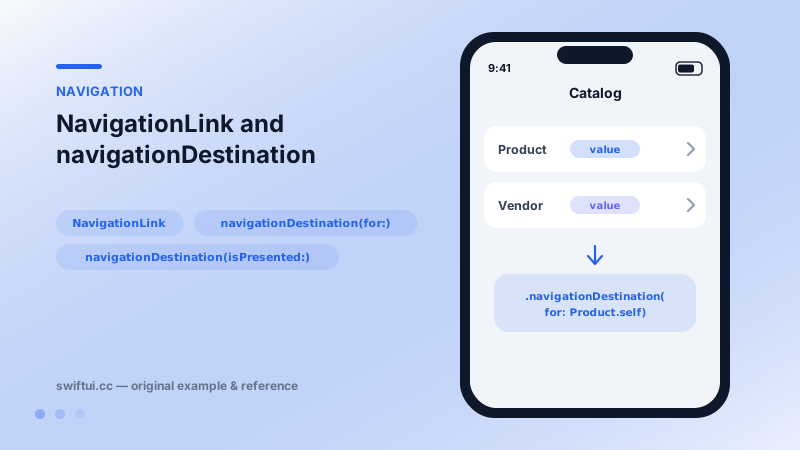
Links carry values, destinations interpret them
Older SwiftUI embedded the destination view inside each link, which meant destinations were built eagerly and navigation state was invisible. The value-based pattern splits the roles:
NavigationLink("Show order", value: order.id)      // what

.navigationDestination(for: Order.ID.self) { id in  // where
    OrderDetail(id: id)
}
Tapping appends the value to the stack's path; the destination closure builds the screen lazily. Because history is now just a list of values, programmatic navigation, state restoration, and deep linking all become data manipulation.
Routing by type
Each navigationDestination(for:) handles one type. A list mixing products and vendors routes cleanly with two declarations — no enums required, though a single route enum is a tidy pattern for larger apps.
State-driven pushes
navigationDestination(isPresented: $showDetail) { Detail() } pushes when the binding turns true — the push equivalent of a sheet binding, useful after async work completes.
Common mistakes
- Declaring navigationDestination inside lazy containers, where it may never register; attach it to the List or stack content instead.
- Registering the same type twice and shadowing one mapping.
- Pushing heavyweight model objects as values when an id would keep the path serializable.
Related reference
NavigationStack hosts push navigation. Configure titles and display modes, place bar items with toolbar, and control bar background and visibility with toolbarBackground.
Bind a path to NavigationStack and navigation history becomes data: append to push, removeLast to pop, clear to return to root, mix types with NavigationPath.
List renders platform-native rows from data. ForEach adds onDelete and onMove editing, and a selection binding turns rows tappable with single or multi-select.