SwiftUI NavigationPath and Programmatic Navigation
Bind a path to NavigationStack and navigation history becomes data: append to push, removeLast to pop, clear to return to root, mix types with NavigationPath.
import SwiftUI

struct CheckoutFlow: View {
    @State private var path: [Step] = []

    enum Step: Hashable { case cart, shipping, payment }

    var body: some View {
        NavigationStack(path: $path) {
            Button("Start Checkout") { path.append(.cart) }
                .navigationDestination(for: Step.self) { step in
                    switch step {
                    case .cart:
                        Button("To Shipping") { path.append(.shipping) }
                    case .shipping:
                        Button("To Payment") { path.append(.payment) }
                    case .payment:
                        Button("Place Order") { path.removeAll() }
                    }
                }
                .navigationTitle("Shop")
        }
    }
}
History as a value
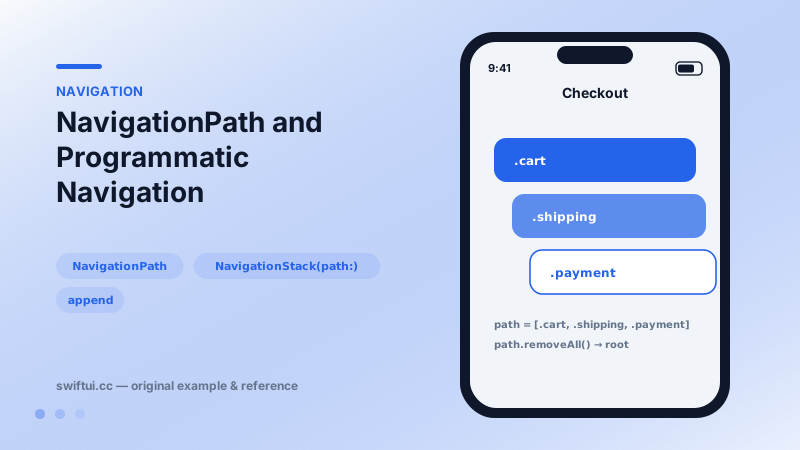
NavigationStack(path: $path) makes the back stack equal to the contents of path. Every mutation is navigation:
path.append(.shipping)   // push
path.removeLast()        // pop
path.removeAll()         // pop to root
path = [.cart, .payment] // rebuild an arbitrary stack
That last line is the deep-link superpower: an incoming URL parses into values, the values become the path, and the user lands three screens deep with a working back button.
Typed array or NavigationPath?
If one enum or model type describes every screen, use [Step] — you can inspect and pattern-match it freely. NavigationPath erases types so different screens can push different values; you lose introspection but gain flexibility, and its codable representation handles persistence.
Restoration sketch
Store path.codable (when non-nil) in SceneStorage or a file on scene-phase changes, decode it on launch, and users resume exactly where they left off. Validate restored values against current data — a deleted record should drop its screens rather than crash.
Common mistakes
- Maintaining a parallel 'currentScreen' state that drifts from the real path.
- Appending to the path from destinations registered outside this stack.
- Persisting raw model objects in the path instead of stable identifiers.
Related reference
Value-based NavigationLink separates what was tapped from where it goes: links carry values, and navigationDestination(for:) maps each value type to a screen.
NavigationStack hosts push navigation. Configure titles and display modes, place bar items with toolbar, and control bar background and visibility with toolbarBackground.
NavigationSplitView builds two- and three-column interfaces for iPad and Mac, with columnVisibility control, navigationSplitViewColumnWidth, and automatic iPhone collapsing.