SwiftUI MultiDatePicker for Selecting Multiple Dates
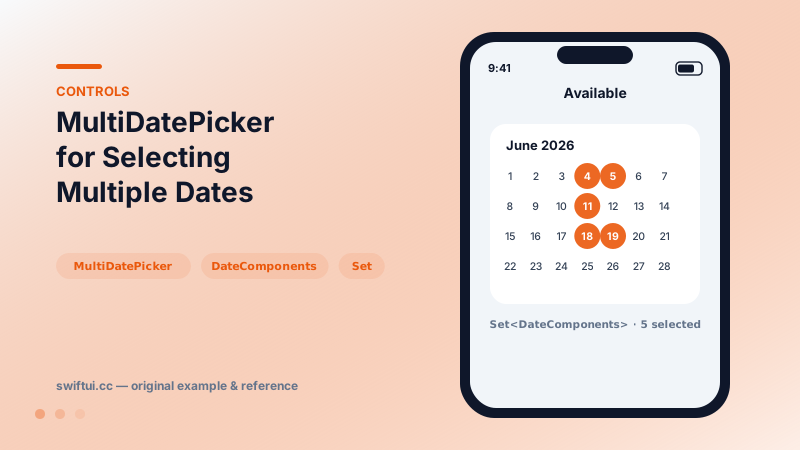
MultiDatePicker binds a Set of DateComponents and lets users toggle several days on a calendar grid — availability, shifts, and recurring plans.
import SwiftUI

struct AvailabilityPicker: View {
    @State private var days: Set<DateComponents> = []

    var body: some View {
        VStack(alignment: .leading, spacing: 8) {
            MultiDatePicker("Available days", selection: $days,
                            in: Date.now...)
            Text("\(days.count) day(s) selected")
                .font(.footnote)
                .foregroundStyle(.secondary)
        }
        .padding()
    }
}
A set, not a date
The binding type tells the story: Set<DateComponents>. Every tapped day inserts or removes its year-month-day components. Your model probably wants Date, so convert deliberately:
let dates = days.compactMap { Calendar.current.date(from: $0) }Going the other way (pre-seeding selection from stored dates) uses Calendar.current.dateComponents([.calendar, .era, .year, .month, .day], from: date) — include the calendar and era so the components match what the picker produces.
Windowing
in: Date.now... or any range limits tappable days. Pair it with domain rules — a staffing app might bound to the schedule period and pre-select existing shifts.
What it does not do
No range dragging, no per-day metadata, no time selection. A booking flow that wants check-in/check-out should present two DatePickers or a custom calendar; MultiDatePicker models independent days, and stretching it past that reads awkwardly to users.
Common mistakes
- Comparing Set against Dates without conversion.
- Expecting ordered selection — sets are unordered; sort after converting.
- Using it for ranges and forcing users to tap fourteen days one by one.
Related reference
DatePicker binds a Date with selectable components — date, time, or both — bounded ranges, and styles from compact rows to the full graphical calendar.
Pass format styles directly to Text — currencies, percents, dates, measurements, lists, and even live timers — and get localization for free.
Form renders settings-style screens with platform-correct rows. Structure with Sections, headers and footers, headerProminence, and per-row background and inset control.