SwiftUI Link and the openURL Environment
Link opens URLs in the appropriate app or browser; the openURL environment action does the same programmatically, and openURL can be overridden to intercept taps.
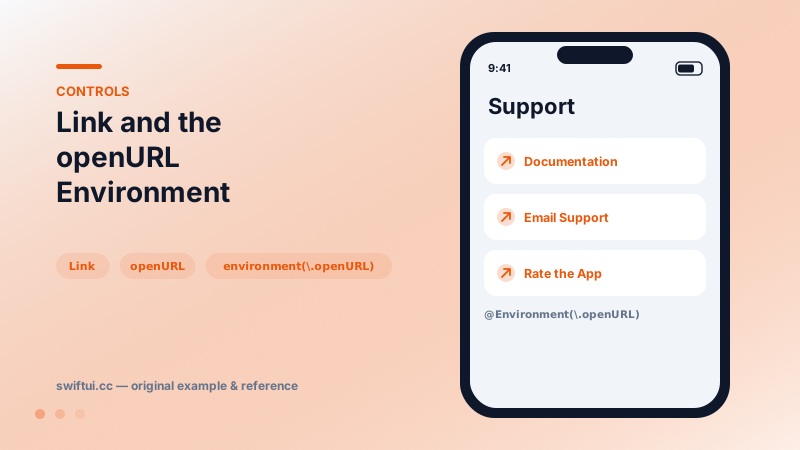
import SwiftUI

struct SupportLinks: View {
    @Environment(\.openURL) private var openURL

    var body: some View {
        VStack(alignment: .leading, spacing: 12) {
            Link("Documentation",
                 destination: URL(string: "https://example.com/docs")!)

            Link(destination: URL(string: "mailto:help@example.com")!) {
                Label("Email Support", systemImage: "envelope")
            }

            Button("Rate the App") {
                openURL(URL(string: "https://example.com/review")!)
            }
        }
        .padding()
    }
}
A button with a fixed destiny
Link("Docs", destination: url) renders like a button but its action is built in: hand the URL to the system, which routes it to Safari, Mail (mailto:), Phone (tel:), or any app claiming the scheme via universal links.
The programmatic twin
@Environment(\.openURL) private var openURL

openURL(receiptURL) { accepted in
    if !accepted { showFallback = true }
}
Use it after async work (open the invoice once generated) or from contexts where no visible link exists.
Intercepting opens
Because openURL is an environment value, parents can replace it:
.environment(\.openURL, OpenURLAction { url in
    showInAppBrowser(url)
    return .handled        // or .systemAction to pass through
})
This catches taps from Link and Markdown links inside Text, centralizing policy — analytics, in-app Safari, scheme allowlists — in one place.
Common mistakes
- Using Link for actions that do not open URLs, breaking the visual contract.
- Force-unwrapping URL(string:) on user input.
- Forgetting that Markdown links in Text also route through openURL — handle both consistently.
Related reference
ShareLink opens the system share sheet for any Transferable item — URLs, strings, images — with SharePreview controlling the title and thumbnail shown.
Text literals parse Markdown — bold, italics, code, links — while AttributedString unlocks programmatic runs, custom attributes, and styled interpolation.
Button pairs an action with any label. Roles mark destructive and cancel semantics, built-in styles cover most designs, and buttonRepeatBehavior auto-repeats while held.