SwiftUI LazyVStack, LazyHStack, and Pinned Headers
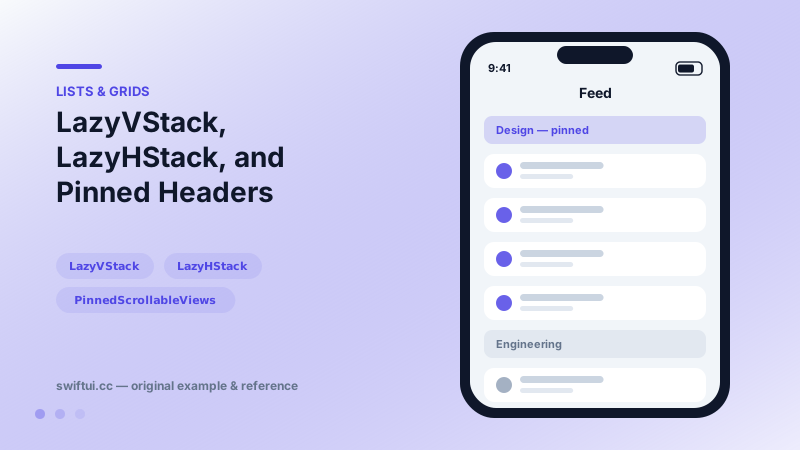
Lazy stacks create children only as they scroll into view and support section headers that pin to the edge while their section passes.
import SwiftUI

struct TeamFeed: View {
    let teams = ["Design", "Engineering", "Marketing"]

    var body: some View {
        ScrollView {
            LazyVStack(alignment: .leading, spacing: 0,
                       pinnedViews: .sectionHeaders) {
                ForEach(teams, id: \.self) { team in
                    Section {
                        ForEach(1...8, id: \.self) { n in
                            Text("\(team) update \(n)")
                                .padding(.vertical, 10)
                                .padding(.horizontal)
                        }
                    } header: {
                        Text(team)
                            .font(.subheadline.bold())
                            .frame(maxWidth: .infinity, alignment: .leading)
                            .padding(8)
                            .background(.bar)
                    }
                }
            }
        }
    }
}
Why lazy
An eager VStack with a thousand ForEach rows builds a thousand views before the first frame. LazyVStack builds only what the viewport (plus a margin) needs, so startup cost tracks visible content rather than total content. The trade-off: the container cannot know its full content size up front, which is why content-dependent tricks like equal-width measurement do not apply.
Pinning headers
Structure the content with Section and opt in via pinnedViews:
LazyVStack(pinnedViews: [.sectionHeaders, .sectionFooters]) {
    Section { rows } header: { headerView }
}
A pinned header sticks at the top edge until the next section's header pushes it away — the same behavior users know from contact lists. Footers mirror this at the bottom edge.
Horizontal variant
LazyHStack behaves identically along the x-axis inside ScrollView(.horizontal). It pairs naturally with containerRelativeFrame for card carousels and with scrollTargetLayout for snapping.
Lazy stack or List?
List brings platform styling, selection, swipe actions, and automatic separators. Lazy stacks bring total visual freedom. A good rule: settings and data tables want List; feeds, carousels, and custom designs want lazy stacks.
Common mistakes
- Forgetting the surrounding ScrollView and getting a clipped, non-scrolling column.
- Transparent pinned headers that visually collide with rows underneath.
- Assuming offscreen views are destroyed — they persist once created.
Related reference
VStack arranges children top to bottom and sizes itself to fit them. Control the gap with the spacing parameter and the horizontal placement with alignment.
LazyVGrid scrolls vertically and fills columns described by GridItem: fixed, flexible, or adaptive — the three words that define every grid design.
List renders platform-native rows from data. ForEach adds onDelete and onMove editing, and a selection binding turns rows tappable with single or multi-select.