SwiftUI GroupBox as Cards
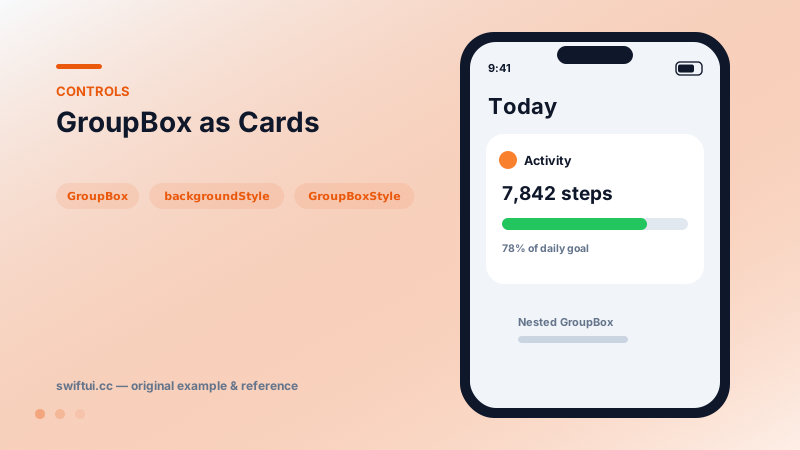
GroupBox draws a rounded background container with optional label — the quickest native card, with automatic nesting contrast and backgroundStyle theming.
import SwiftUI

struct ActivityCard: View {
    var body: some View {
        GroupBox {
            VStack(alignment: .leading, spacing: 8) {
                Text("7,842 steps")
                    .font(.title2.bold())
                ProgressView(value: 0.78)
                    .tint(.green)
                Text("78% of daily goal")
                    .font(.caption)
                    .foregroundStyle(.secondary)
            }
        } label: {
            Label("Activity", systemImage: "flame.fill")
                .foregroundStyle(.orange)
        }
        .padding()
    }
}
The native card
GroupBox { content } label: { Label(…) } produces the rounded, padded, appearance-aware container that custom RoundedRectangle + padding stacks imitate. Using the real container buys automatic dark mode, platform-correct corner radii, and nesting behavior.
Nesting contrast
Put a GroupBox inside a GroupBox and the inner one shifts its background level so it remains visually distinct — the system manages the elevation ladder you would otherwise encode in opacity tweaks.
Theming
GroupBox("Stats") { … }
    .backgroundStyle(.teal.opacity(0.12))
backgroundStyle recolors while keeping shape and padding. A custom GroupBoxStyle goes further:
struct PlainCardStyle: GroupBoxStyle {
    func makeBody(configuration: Configuration) -> some View {
        VStack(alignment: .leading, spacing: 8) {
            configuration.label.font(.headline)
            configuration.content
        }
        .padding()
        .background(.background.secondary, in: .rect(cornerRadius: 16))
    }
}
Common mistakes
- Rebuilding cards from shapes and losing free dark-mode behavior.
- Headings inside content instead of the label slot, breaking style propagation.
- Hard-coded white backgrounds that glow in dark mode.
Related reference
Form renders settings-style screens with platform-correct rows. Structure with Sections, headers and footers, headerProminence, and per-row background and inset control.
DisclosureGroup hides detail behind a chevron with optional isExpanded bindings for programmatic control, custom labels, and nested groups for settings trees.
Label pairs icon and title with style-aware rendering; LabeledContent pairs a label with a value — the standard grammar for settings rows and detail screens.