SwiftUI DisclosureGroup and Nested Expansion
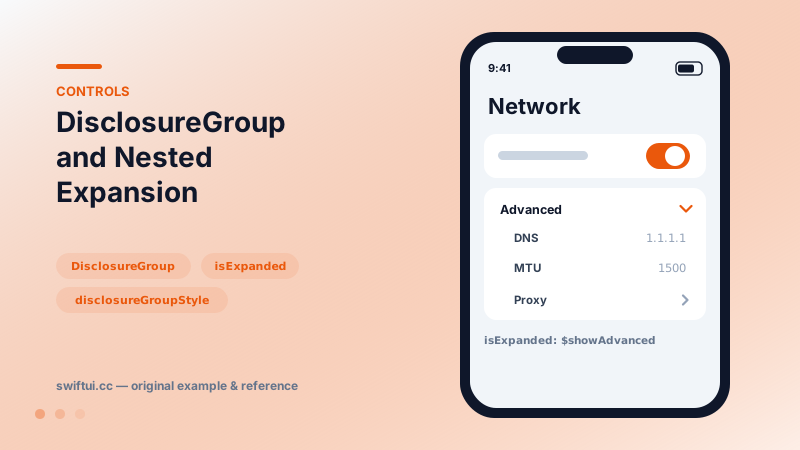
DisclosureGroup hides detail behind a chevron with optional isExpanded bindings for programmatic control, custom labels, and nested groups for settings trees.
import SwiftUI

struct NetworkSettings: View {
    @State private var showAdvanced = false

    var body: some View {
        Form {
            Toggle("Wi-Fi", isOn: .constant(true))

            DisclosureGroup("Advanced", isExpanded: $showAdvanced) {
                LabeledContent("DNS", value: "1.1.1.1")
                LabeledContent("MTU", value: "1500")
                DisclosureGroup("Proxy") {
                    LabeledContent("Host", value: "—")
                }
            }
        }
    }
}
Progressive disclosure as a control
DisclosureGroup("Advanced") { rows } renders a chevron row that folds its content. The design intent: keep the common path clean while power options stay one tap away — the standard answer to forms that grow ten rarely-used rows.
Owning the state
@State private var expanded = false
DisclosureGroup("Details", isExpanded: $expanded) { … }
With the binding you can expand from search ("jump to the setting and unfold its section"), build expand/collapse-all toolbars, or persist with @SceneStorage so the form reopens as the user left it. Without the binding, state is internal and resets with view identity.
Custom labels and styles
The label: closure accepts any view — add an SF Symbol, a count badge, or a summary of the collapsed content ("3 filters active"). For a different visual language entirely, disclosureGroupStyle receives the expansion state and label, letting you rotate custom chevrons or animate cards.
Nesting
Groups nest naturally for two-level structures like Proxy-inside-Advanced. Beyond that, reconsider: deep folding hides content users cannot find, and OutlineGroup or navigation may serve the hierarchy better.
Common mistakes
- Hiding required fields, then surprising users at validation.
- Forgetting persistence so every visit re-collapses everything.
- Summary-free labels that give no clue what is inside.
Related reference
OutlineGroup and List(children:) render tree-shaped data with disclosure triangles — file browsers, org charts, and nested categories without manual recursion.
Form renders settings-style screens with platform-correct rows. Structure with Sections, headers and footers, headerProminence, and per-row background and inset control.
GroupBox draws a rounded background container with optional label — the quickest native card, with automatic nesting contrast and backgroundStyle theming.