SwiftUI Grid and GridRow
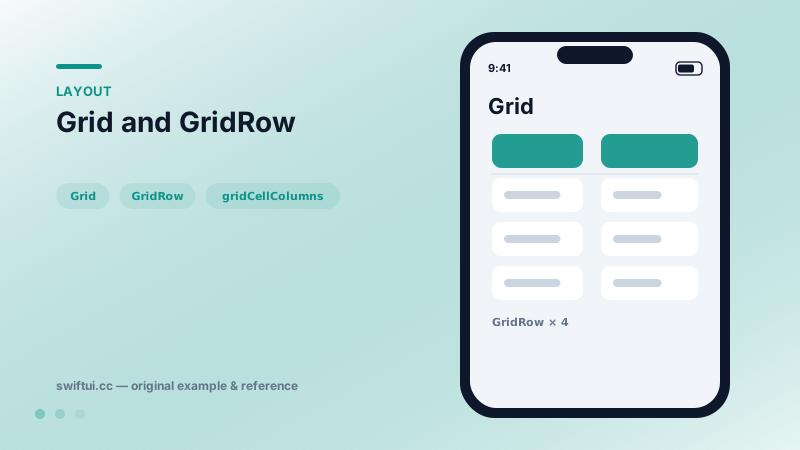
Grid aligns cells into true rows and columns, sizing each column to its widest cell. gridCellColumns spans columns and gridCellUnsizedAxes stops decoration from inflating the grid.
import SwiftUI

struct NutritionGrid: View {
    var body: some View {
        Grid(alignment: .leading,
             horizontalSpacing: 24, verticalSpacing: 10) {
            GridRow {
                Text("Nutrient").bold()
                Text("Amount").bold()
                    .gridColumnAlignment(.trailing)
            }
            Divider()
                .gridCellUnsizedAxes(.horizontal)
            GridRow {
                Text("Protein")
                Text("12 g").gridColumnAlignment(.trailing)
            }
            GridRow {
                Text("Carbohydrates")
                Text("48 g").gridColumnAlignment(.trailing)
            }
        }
        .padding()
    }
}
Real columns, not faked ones
Stacks cannot make column 2 of row 1 align with column 2 of row 5 — Grid can, because it measures all rows before placing anything. Each GridRow contributes one cell per column, and the widest cell in a column sets that column's width.
Alignment at three levels
- Grid-wide:
Grid(alignment: .leading)sets the default for every cell. - Per column:
.gridColumnAlignment(.trailing)on any cell aligns the whole column. - Per cell:
.gridCellAnchor(.topTrailing)nudges a single cell.
Spanning and unsizing
Two modifiers cover most layout tricks. .gridCellColumns(2) merges a cell across columns. .gridCellUnsizedAxes(.horizontal) tells decoration like Divider or a background Rectangle to adopt whatever width the real content produced, instead of demanding infinite width and blowing the grid open:
Divider().gridCellUnsizedAxes(.horizontal)Grid or LazyVGrid?
Grid is for layout-precise, finite content: stat blocks, forms, keypads. LazyVGrid is for collections: photo walls, product cards, anything that scrolls. The lazy variant cannot align columns by content because it never sees all rows at once.
Common mistakes
- Forgetting
GridRowand silently getting one full-width cell per child. - Letting an image stretch a column instead of constraining it with
frameor unsized axes. - Using Grid for hundreds of rows and paying eager layout cost.
Related reference
LazyVGrid scrolls vertically and fills columns described by GridItem: fixed, flexible, or adaptive — the three words that define every grid design.
VStack arranges children top to bottom and sizes itself to fit them. Control the gap with the spacing parameter and the horizontal placement with alignment.
Table presents multi-column data with selectable rows and sortable headers on Mac and iPad, collapsing gracefully to its first column on iPhone.