Swift Charts Marks: Bar, Line, and Sector
Swift Charts builds charts from marks — BarMark, LineMark, PointMark, AreaMark, SectorMark — each mapping data fields to visual position, with foregroundStyle(by:) for series.
import SwiftUI
import Charts

struct SalesChart: View {
    struct Day: Identifiable {
        let id = UUID()
        let name: String
        let sales: Int
    }

    let week = [
        Day(name: "Mon", sales: 12), Day(name: "Tue", sales: 19),
        Day(name: "Wed", sales: 8),  Day(name: "Thu", sales: 22),
        Day(name: "Fri", sales: 17)
    ]

    var body: some View {
        Chart {
            ForEach(week) { day in
                BarMark(
                    x: .value("Day", day.name),
                    y: .value("Sales", day.sales)
                )
                .foregroundStyle(.teal.gradient)
            }
            RuleMark(y: .value("Goal", 15))
                .lineStyle(StrokeStyle(lineWidth: 1, dash: [4]))
                .annotation(position: .top, alignment: .trailing) {
                    Text("Goal").font(.caption2)
                }
        }
        .frame(height: 220)
        .padding()
    }
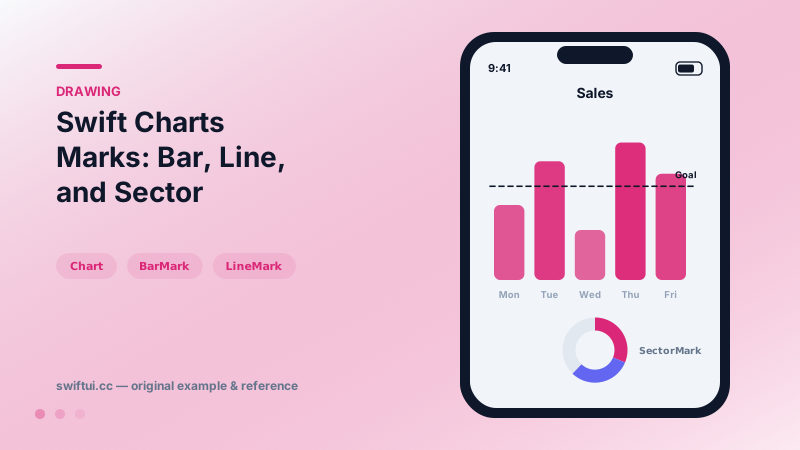
}
Marks are the grammar
A chart is a composition of marks, each declaring how data fields map to visual channels:
Chart(readings) { r in
    LineMark(x: .value("Time", r.time), y: .value("°C", r.temp))
    PointMark(x: .value("Time", r.time), y: .value("°C", r.temp))
}
Axes, scales, gridlines, and labels derive from the data automatically — dates get date axes, numbers get sensible ticks.
Series by style
foregroundStyle(by: .value("City", r.city)) turns one mark declaration into N colored series with a legend. The same by: pattern works for symbol (point shapes) and lineStyle (dash patterns), so series stay distinguishable without manual color tables.
Parts of a whole
Chart(shares) { s in
    SectorMark(angle: .value("Share", s.value),
               innerRadius: .ratio(0.6),
               angularInset: 1.5)
        .foregroundStyle(by: .value("Name", s.name))
}
innerRadius turns pie into donut; the center hole is prime real estate for a total via chartBackground overlay.
Annotation layers
RuleMark draws thresholds, RectangleMark highlights ranges, and .annotation(position:) attaches labels to any mark — the building blocks of charts that explain themselves.
Common mistakes
- Unlabeled .value fields producing cryptic axes and VoiceOver output.
- Hand-assigning series colors when by-styling exists.
- Unframed charts expanding to fill whole screens.
Related reference
Use Canvas when a visual is easier to draw than compose from many nested views, such as sparklines, badges, waveforms, and lightweight charts.
Gauge shows a value within bounds — linear bars or circular dials — with current/min/max labels and accessoryCircular styles sized for compact dashboards.
Choose linear, radial, angular, image, and mesh-style fills based on the job the color is doing in the interface.