SwiftUI Spacer and Space Distribution
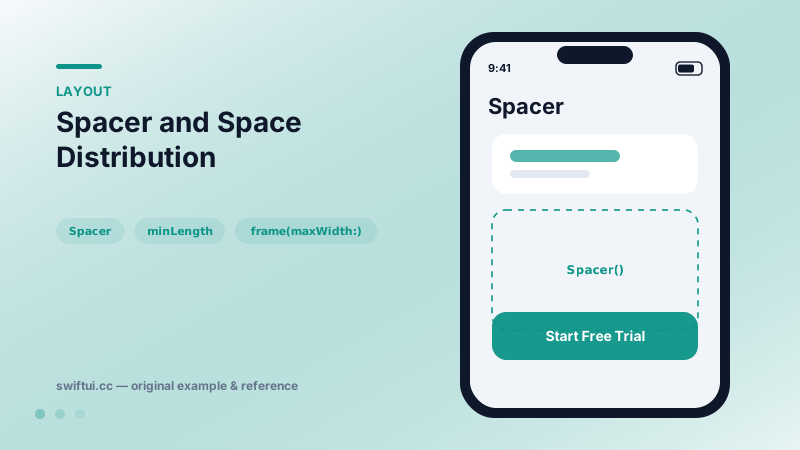
Spacer is a flexible blank view that absorbs leftover space along a stack's axis. Use minLength to keep a guaranteed gap and multiple Spacers for proportional layouts.
import SwiftUI

struct PaywallFooter: View {
    var body: some View {
        VStack(spacing: 16) {
            Text("Go Premium")
                .font(.largeTitle.bold())
            Text("Unlimited projects, priority sync, and more.")
                .foregroundStyle(.secondary)
            Spacer(minLength: 24)
            Button("Start Free Trial") {}
                .buttonStyle(.borderedProminent)
                .controlSize(.large)
                .frame(maxWidth: .infinity)
        }
        .padding()
    }
}
What Spacer actually is
Spacer is an invisible view whose ideal size is zero and whose maximum size is infinite along the parent stack's axis. During layout the stack sizes fixed children first, then divides whatever remains among flexible children — and Spacer is the most flexible child possible.
Even distribution
Because equal Spacers split leftover space equally, you can express proportional designs without math:
VStack {
    Spacer()      // 1 share above
    Logo()
    Spacer()
    Spacer()      // 2 shares below → logo sits in upper third
    SignInButtons()
}
minLength
Spacer(minLength: 24) refuses to shrink below 24 points, so adjacent views truncate or wrap before your separation collapses. Plain Spacer() may collapse to the system minimum under pressure.
Common mistakes
- Adding Spacer inside a ScrollView and wondering why nothing moves — scroll content has unbounded length, so there is no leftover space.
- Using Spacer where
frame(maxWidth: .infinity, alignment: .leading)says the same thing with one view fewer. - Stacking padding on Spacer; pick one mechanism per gap so future readers know which number wins.
Related reference
VStack arranges children top to bottom and sizes itself to fit them. Control the gap with the spacing parameter and the horizontal placement with alignment.
HStack lays out children left to right with a shared vertical alignment. layoutPriority decides which child shrinks first when space runs out.
Control layout by combining flexible frames, padding, fixedSize, and layoutPriority rather than guessing with offsets.