SwiftUI LazyHGrid Rows and Heights
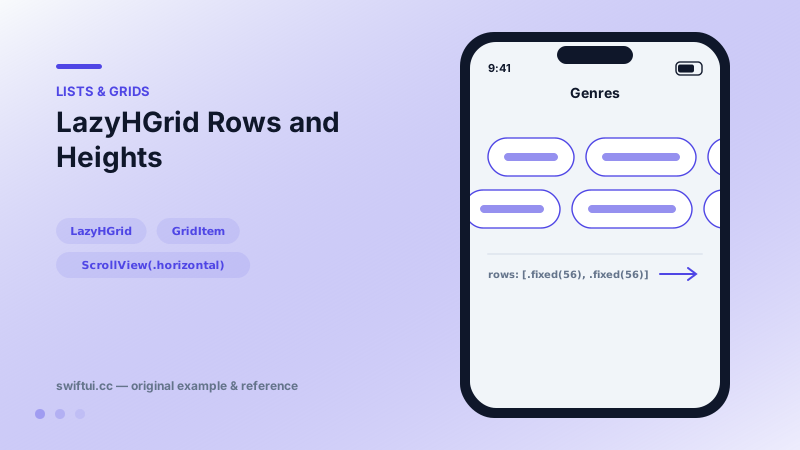
LazyHGrid scrolls horizontally and fills rows defined by GridItem heights — the sideways twin of LazyVGrid for shelf and timetable layouts.
import SwiftUI

struct GenreShelf: View {
    let rows = [
        GridItem(.fixed(56), spacing: 10),
        GridItem(.fixed(56))
    ]
    let genres = ["Jazz", "Synthwave", "Lo-fi", "Classical",
                  "Ambient", "Folk", "House", "Post-rock"]

    var body: some View {
        ScrollView(.horizontal, showsIndicators: false) {
            LazyHGrid(rows: rows, spacing: 10) {
                ForEach(genres, id: \.self) { genre in
                    Text(genre)
                        .font(.callout.bold())
                        .padding(.horizontal, 16)
                        .frame(maxHeight: .infinity)
                        .background(.indigo.opacity(0.15), in: .capsule)
                }
            }
            .padding(.horizontal)
        }
        .frame(height: 122)
    }
}
The transposed grid
Where LazyVGrid takes columns: and scrolls down, LazyHGrid takes rows: and scrolls right. Items fill the first column top-to-bottom, then move one column right — the same order app stores use for "top charts" shelves.
Heights come from GridItem
let rows = [GridItem(.fixed(56)), GridItem(.fixed(56))].fixed keeps shelves even; .flexible(minimum:maximum:) lets rows breathe within bounds; .adaptive packs as many rows as fit into the height you grant the grid. That last point matters: the grid will happily consume the whole screen height unless you cap it with frame(height:).
Spacing, mirrored
GridItem(spacing:) is now the vertical gap below that row, and LazyHGrid(spacing:) is the horizontal gap between columns — the exact mirror of the vertical grid, and the same source of mix-ups.
Composition
LazyHGrid pairs well with scrollTargetBehavior(.viewAligned) for column snapping and with section headers pinned via .sectionHeaders for labeled shelves.
Common mistakes
- Forgetting
frame(height:), so the two-row shelf becomes a screen-tall wall. - Designing a third row by adding height instead of a GridItem.
- Using LazyHGrid when one row would do — LazyHStack is simpler and faster to reason about.
Related reference
LazyVGrid scrolls vertically and fills columns described by GridItem: fixed, flexible, or adaptive — the three words that define every grid design.
Modern ScrollView is configured declaratively: scrollTargetBehavior for paging and snapping, scrollPosition for tracking, contentMargins for insets, plus bounce and disable controls.
Lazy stacks create children only as they scroll into view and support section headers that pin to the edge while their section passes.