SwiftUI ColorPicker and Opacity Support
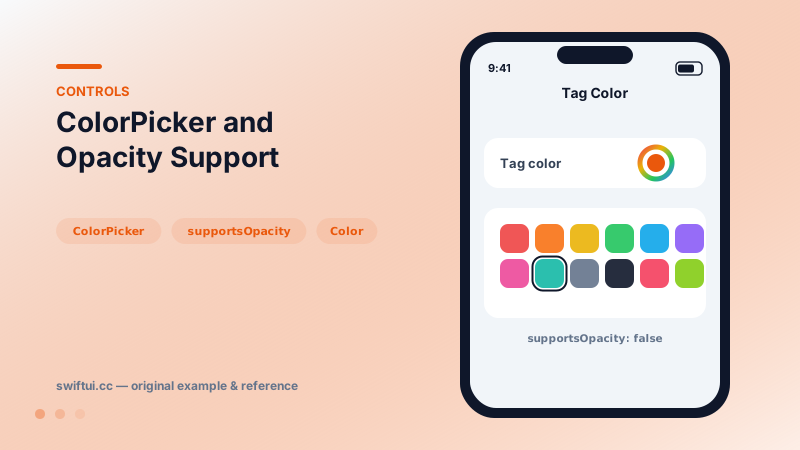
ColorPicker opens the system color well with eyedropper, sliders, and palettes, binding a Color and optionally hiding alpha with supportsOpacity: false.
import SwiftUI

struct TagEditor: View {
    @State private var tagColor: Color = .teal

    var body: some View {
        Form {
            ColorPicker("Tag color",
                        selection: $tagColor,
                        supportsOpacity: false)

            Label("Preview", systemImage: "tag.fill")
                .foregroundStyle(tagColor)
        }
    }
}
The system picker for free
ColorPicker("Accent", selection: $color) renders a color well that opens the full system experience: palette grid, spectrum, RGB/HSB sliders, saved swatches, and the eyedropper for sampling on-screen colors. Building a fraction of that yourself is real work, so reach for the control whenever free-form color choice is the goal.
Opacity is a decision
ColorPicker("Highlight", selection: $color, supportsOpacity: false)Allowing alpha means downstream code must handle translucent text, washed-out fills, and contrast failures. If the color lands on variable backgrounds, disabling opacity removes a whole bug class.
Persisting choices
Color is a late-resolving style, not a stored value. To save a user's pick, resolve it to components in an environment and store those:
let resolved = color.resolve(in: environment) // r, g, b, a floatsRebuild with Color(red:green:blue:opacity:) on load.
Common mistakes
- Letting users pick near-invisible colors with no contrast check or preview.
- Offering the full spectrum when the design system allows six brand colors.
- Storing 'Color' descriptions instead of resolved components and getting drift across appearances.
Related reference
Toggle binds a Bool to a switch. Recolor with tint, render as a button with .button style, batch with sections, or design your own look via ToggleStyle.
Choose linear, radial, angular, image, and mesh-style fills based on the job the color is doing in the interface.
Prefer foregroundStyle and tint for modern SwiftUI color styling, especially when controls, symbols, gradients, and semantic materials mix.